Is SaaS dead? No. But the thin end of it is being eaten, and I’m doing some of the eating. In the last week of September my various AI tools (mainly Claude Code, we are an Anthropic partner here at Fifty Five and Five) built me 20 tiny web tools that each did one job, usually needing one or two decisions, and most were discarded within a day or two. Nobody logged in and nobody paid for a seat or licence fee. For a marketing or sales team at a large company, the sort of client we work with, there is something here to think about.
Increasingly in AI circles people talk about AI and bespoke SaaS, where every company builds its own version of the tools it rents today. Maybe. I can see that. What I see practically in my own usage right now is a bit smaller and maybe a bit weirder. I build software on a Tuesday, use it on a Wednesday and never open it again.
I’ve started calling it throwaway SaaS. This piece is what I’ve learned from doing a lot of it, which jobs it suits, and where it’s a genuinely bad idea.
What is throwaway software?
Throwaway software is a small tool, usually a single web page, that AI builds for one job and that you delete or forget once the job is done. It has no users beyond the handful of people making that one decision, normally just me, and no roadmap nor maintenance. Its whole life might be an afternoon.
My first proper example came back in July. And it wasn’t even a work thing. I got Claude Code to scrape a load of holiday resorts against my criteria, then build a booking.com style page to compare them, with the filters I wanted and a flight-time cone on the map. I did write about it at the time on LinkedIn: “It was a single HTML file, local on my machine, took me 30mins in total, never looked at the code once.” My wife and I used it for 25 minutes to pick where to go. Then I never thought about it again.
Small, personal software isn’t new. In 2020 Robin Sloan wrote about building a messaging app for his family: “It is ruthlessly simple; we love it; no one else will ever use it” (Robin Sloan ). He called it a home-cooked meal, and it had four daily active users with “zero churn”.
His app was built to be kept for years. My holiday page lived for one evening, and that shorter lifespan is the really interesting thing here.
Anish Acharya at a16z put a name on it last year, “Disposable Software”: “small, personal apps and tools that only make sense for you or maybe a couple of friends”. His line on why it’s happening is the one I’d underline: “Software creation used to be constrained by ROI. Now it’s constrained only by imagination” (a16z ).
What did we actually build in one week?
I built 20 single-use pages between 24 and 30 September. Most were built, used and archived within a day or two. That felt like a week things changed.
A few of the pages from that week:
- Approval pages. A lot were for content. So every draft post, article and outreach email lands on an approval page. Each paragraph or section on the page has ‘Approve’, ‘Change’ or ‘No’ buttons. I can edit the draft in place if I wish, typing freely on the page. Then a Copy button turns every decision into plain text I paste straight back to the AI for updates.
- Design comparisons. Three of them on 29 September, each showing versions of one screen side by side, for a pick. Mock ups of tools we were working on. I picked one, scribbled on it, hit submit, and never opened them again.
- An explainer diagram of a colleague’s system, so I could understand it well enough to ask him the right questions.
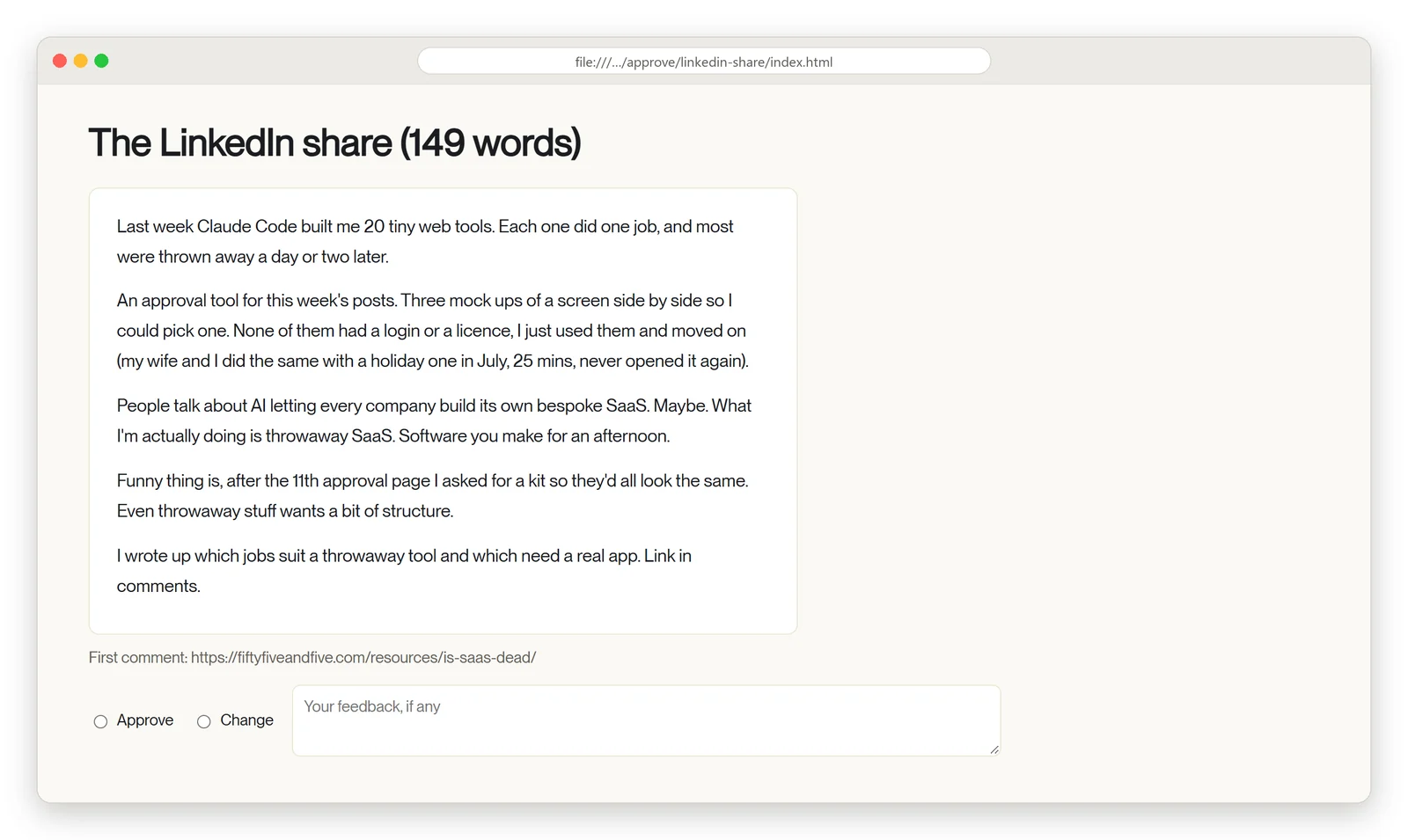
One of the approval pages: the draft, Approve or Change, and a box for notes. Used once, then archived.
And my favourite, from the same week: I asked my AI tools what they actually knew about me. Again it was Claude Code. It built a page mapping every file read at the start of a session, 236 memory files, all open and editable. I learned more from that page in an hour than from months of using the tools.
Each of those pages replaced something we’d normally reach for:
| Instead of | The page does |
|---|---|
| A document with comments | A decision on every item, one tally, and one paste of every decision back into the AI |
| A slide deck for sign-off | The draft is editable in place, marked “Edited”, and can be undone |
| An approval or proofing tool | No login and no upload. Nothing leaves the laptop, and it’s built for exactly this round’s items |
| A spreadsheet | Filters, search, and the facts and sources behind each item a click away |
| Three screenshots in a chat | Three versions on one page, side by side |
A design comparison from 29 September: Linear on the left, our dashboard on the right. Details blurred.
Why does the same throwaway page keep coming back?
Because a lot of the decisions are the same shape. From 24 September to the morning of the 30th my Claude Code sessions built 11 approval pages, each one from scratch, each one slightly different. Different buttons, different layout, the copy button in a different place. It worked but it was a bit “wild west”.
By the eleventh I’d had enough. On 30 September I typed (typos and all): “can we standardise the format and layout of these page. download and copy buttons. format layout. always have linkedin and web links to relevant people”.
The same day it became a kit. One small spec goes in, and one page comes out, with the same header, buttons and filters every time. The pages are still thrown away. But now I have a standard way to create the pages I use the most, it’s kind of cool.
I think this is a good way of working in this new age. Creating UI, pages, tiny tools from scratch is fine. Don’t spend any real time, just build, use and throw away. But if you do start needing the same type of thing, like my approval pages, it makes sense to spend a bit more effort standardising. When you’ve built the same thing a dozen times, make a kit. Keep it small, owned and editable. Use established UI or UX patterns. And if you don’t know what they are ask your AI. We started ours, called it PageKit, on 23 September, because we kept rebuilding the same page and relearning the same lessons about what makes a page easy to read. It’s had 8 changes since, and is now really useful.
A couple of the tools grew into keepers. The dashboard I use to see what every session is doing started as a quick thing and had 42 changes in six days. A front end for a colleague’s system had 24. Those two I’d miss. So I am keeping them. The other 20 I won’t.
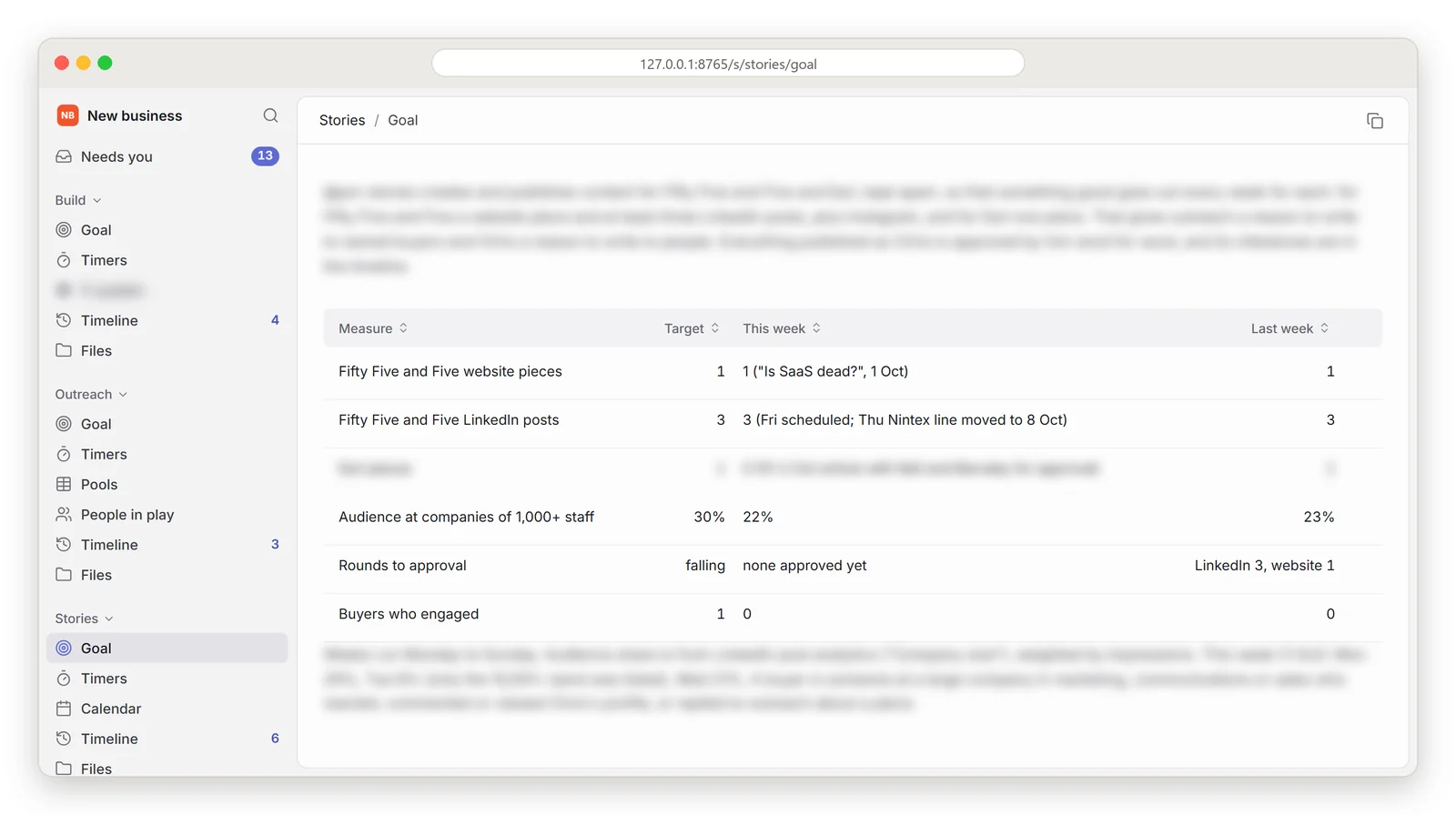
The dashboard that became a keeper, showing this week’s goals. Some details blurred.
Is this just vibe coding?
Partly. Vibe coding is about how you build: you describe what you want and let the AI write code you never read. Andrej Karpathy coined the term in February 2025 (Wikipedia ). Throwaway software is about how long the thing lives. You can vibe code a product you’ll support for years, which is where most of the worry sits. A throwaway page is vibe coding with the maintenance problem deleted, because there’s nothing to maintain.
Simon Willison is the best example I know of someone living this. His tools site lists 237 small HTML and JavaScript tools, “built mostly with the help of LLMs”, which he calls “an experiment in prompt-driven development with very low stakes” (Simon Willison ). In one week in 2024 he built 14 of them, and “Most of these tools took less than five minutes to build” (Simon Willison ).
His advice on building them is the most useful line I’ve read on the subject: “Keep them small. A few hundred lines means the maintainability of the code doesn’t matter too much” (Simon Willison ).
For a marketing, comms or sales team the practical difference is who’s building. You don’t need a developer or a support ticket. You need someone who understands the problem to solve, and 20 minutes.
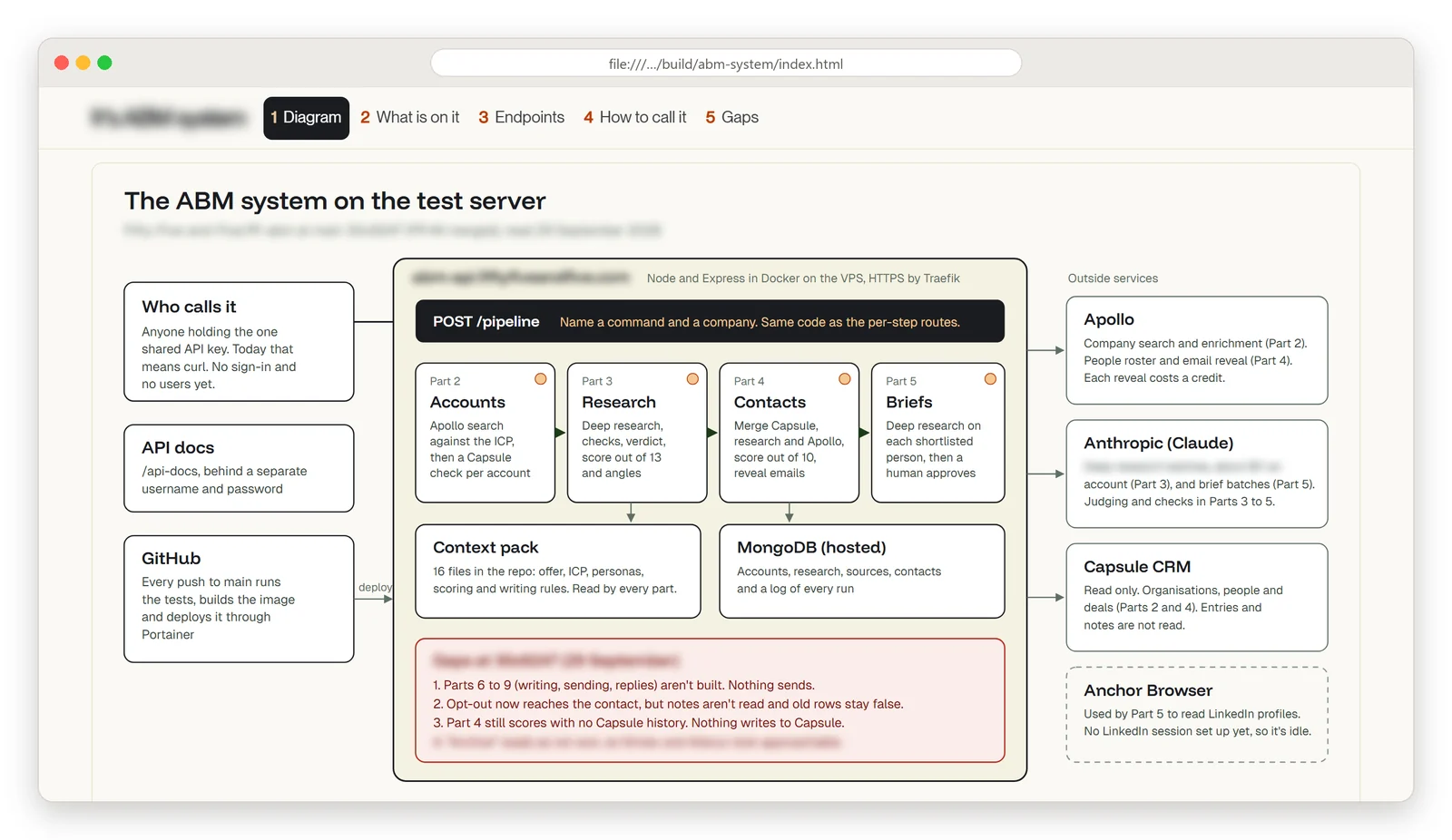
An explainer of a colleague’s system, built so I could ask him the right questions. Client details blurred.
Is SaaS dead?
No, but its share price has had a terrible year. Earlier this year, “nearly $285 billion in market value evaporated from software and related sectors in 48 hours”, and the median public SaaS company traded at 5.1 times revenue by late 2025, against 18 times in 2021 (CIO ). People have been calling it the SaaSpocalypse.
Satya Nadella saw some of this coming. In December 2024 he said business applications would “probably collapse” as their logic moves into AI agents (OfficeChai ).
But look at the reason the coverage gives. It puts the fall down to AI agents doing work that used to need a person, a seat and a login. None of it mentions anyone replacing their software with tools like mine. I looked for evidence of throwaway apps being used at scale inside big companies and couldn’t find any. What exists is a pile of anecdotes: Willison’s 237 tools, the a16z essay, and my own experiences.
Here is my take. Agents and throwaway apps are the same shift at two sizes. The interface, the screen you click on, is becoming cheap enough to make for one afternoon, while the value stays in the data underneath and the rules about who can see it and change it. Nothing I built last week holds any data of its own that matters.
Which jobs suit a throwaway tool, and which need a real app?
A throwaway tool is right when the job is one thing, made by a few people, over a few days, on data that wouldn’t hurt anyone if it broke. For a marketing or sales team at a large company, that covers more than you’d think:
- approving a round of drafts, social posts or outreach emails
- picking between options: agencies, venues, speakers, three designs
- reviewing a plan or proposal with comments and tracked changes
- a pick list, such as which 40 accounts go into next quarter’s programme
- preparing for one meeting, with the account, the people and the questions on one page
- exploring one dataset once to answer one question
It’s the wrong call, and sometimes a dangerous one, when any of these is true:
- It’s shared. Across teams or with partners, you need logins, permissions and one version of the truth.
- It holds personal or customer data. GDPR, retention and access rules apply the moment a page has real names and emails in it.
- It has to be auditable. Regulated sign-off, or brand and legal approval you’ll need to show someone later.
- It writes to a system of record. Anything that changes your CRM or marketing automation should go through a proper tool.
- You’ll still need it next quarter. Then it isn’t throwaway, and it deserves to be built properly.
The build vs buy question used to have two answers. There’s a third now: make it this afternoon, use it and bin it. My rough test is how long the page will be alive. Measured in days, throw it away. If it will outlive a quarter, buy it or build it properly.
Got a decision your team keeps making the slow way?
We build AI tools for sales and marketing teams, some to keep and some to throw away.
Talk to usWhat’s the catch?
The biggest one is security, and it’s mostly about the apps that don’t stay throwaway. In May, researchers at RedAccess found 380,000 publicly accessible apps, databases and related assets built with vibe coding tools such as Lovable, Base44 and Replit, and the Netlify hosting platform, and “Roughly 5,000 of those assets, about 1.3%, contained sensitive corporate information” (VentureBeat ). Separately, Veracode found that 45% of AI-written code samples failed its security tests (Veracode ).
Look at what that evidence covers, though. It’s apps that are hosted on the internet and hold real data. My stuff sits on my laptop. The kit publishes nothing, and whatever I mark stays in my own browser. A local app with no customer data, deleted next week, is a much smaller risk than a public app someone built in an evening and forgot to lock down.
So the real danger is the tool that quietly becomes permanent. It gets shared once, then someone bookmarks it, and then it’s how the team does sign-off, with no owner and nobody checking it. I’m not above this. My session dashboard started as a quick page and now has 42 changes on it, which is exactly the thing I’ve just told you to watch for. (In my defence, I know it’s there and it holds nothing sensitive.) But another way of looking at this is throwaway apps are perfect proofs of concept. Then build them properly.
Enjoying this article?
Get more B2B marketing insights delivered straight to your inbox.
Thanks for subscribing!
The other catch is human. Someone still has to check what the AI built and what it says. An app that took 20 minutes to make can still be wrong in ways that take longer to spot, and every one of our apps exists because a person needed it.
What does this mean for the software you pay for?
The software most exposed is the thin stuff a team uses occasionally, priced per seat. Approval and proofing tools, simple comparison and survey tools, and dashboards built for one purpose are the obvious ones. A page built for this round, with no seat and no login, does a lot of that job for nothing.
The software least exposed is your systems of record: the CRM, marketing automation, digital asset management, the data warehouse, and anything that has to be shared, governed or audited. The throwaway pages sit on top of those and read from them. They don’t replace them.
One thing I’d actually do. At your next renewal, ask how many people used the tool in the last month and how much it really helped them. If the honest answer is a handful of people, try a throwaway app for the next few weeks instead. See how you get on. Throw it away afterwards and see if anyone misses the features. Or turn the PoC into something bigger.
Because we should still build software to keep, of course. Bespoke. Maybe even SaaS. It’s just now we have options.